May 13th, 2025

Version 0.4.3
Release Notes
Version: 0.4.3
Release Date: April 26, 2025
Status Page URL: Guepard Platform Status - Guepard Upgrade to version 0.4.3
Released components:
Guepard-Console: 0.4.3
Guepard-Public-API: 0.4.3
New Features
[#79] - Autosuspend Feature:
Computes now automatically stop if no network traffic is detected for 5 minutes.
[#90 | #123 | #132] - Guepard API - Nodes Feature:
Node Management:
Users can now choose a specific compute node when creating a new database. If no node is selected, the deployment defaults to the guepard-shared-node (US, AWS).
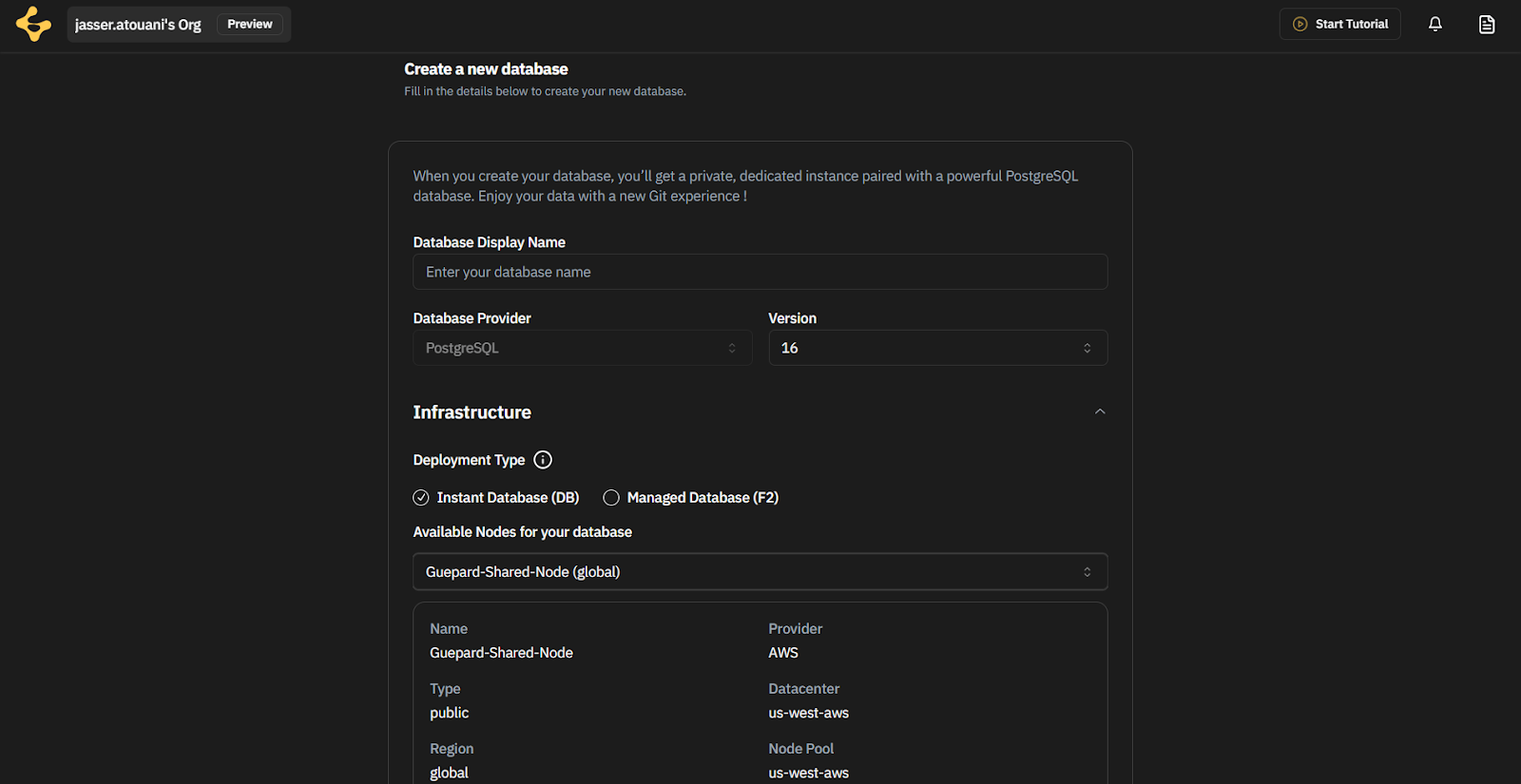
Enterprise Edition Enhancements:
Enterprises can now create and manage private nodes directly from the Guepard interface.
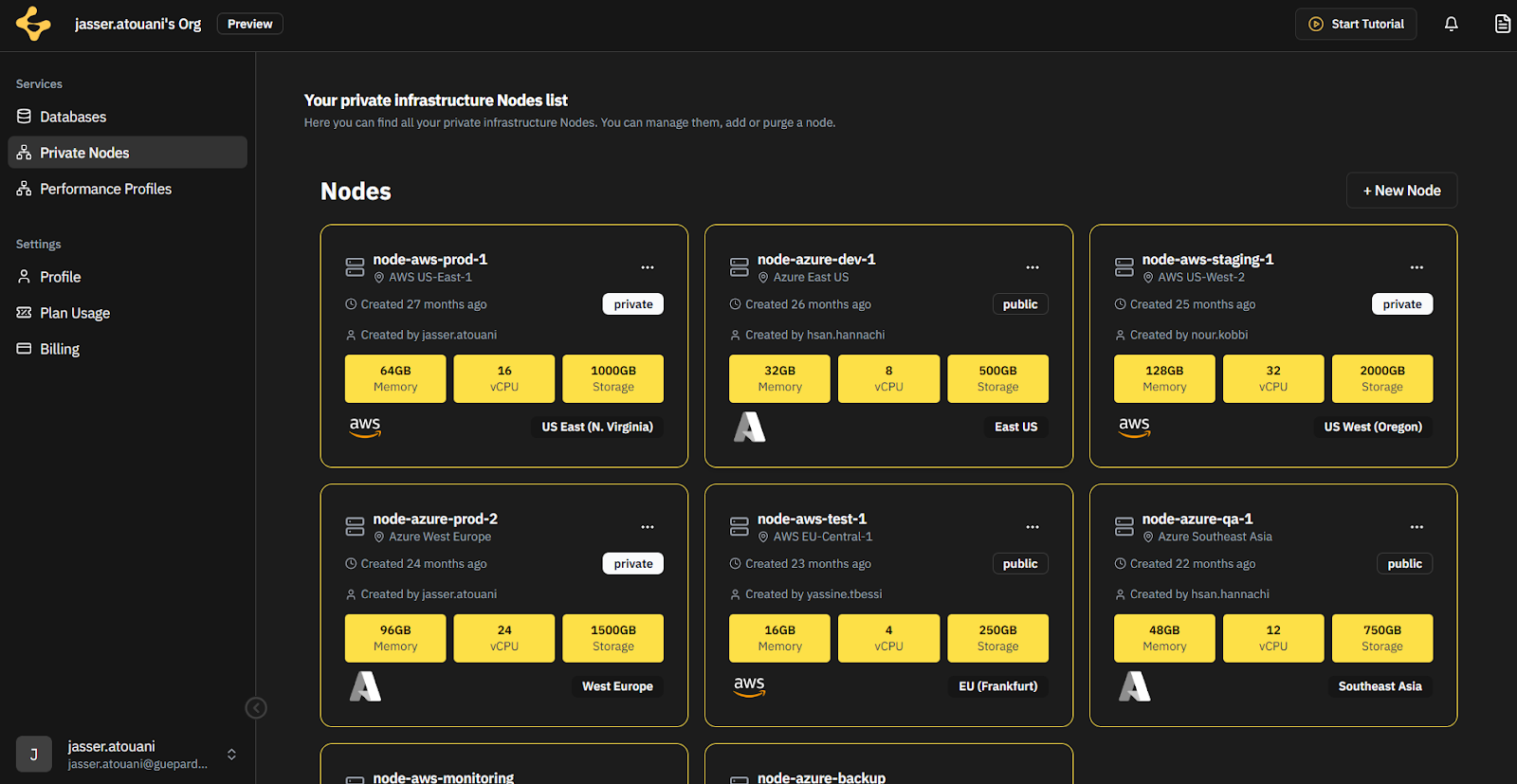
While creating a private node, users can specify the region, datacenter, and hosting provider.
Databases and F2 deployments can now be assigned to private nodes.
An F2 has a Bookmarks timeline instead of the database’s graph, each bookmark can have a list of shadows (cloned databases from the bookmark).
[#459] - Guepard Console - add and update docs links over the platform
[#450] - Guepard Console - User Feature Flagging
[#90 | #124 | #131 | #482 | #464 ] - Guepard API/Guepard Console - Performance Profile Feature:
We’ve introduced Performance Profiles - customizable configurations that define CPU, memory and database tuning flags, These profiles allow users to fine-tune how their computes behave.
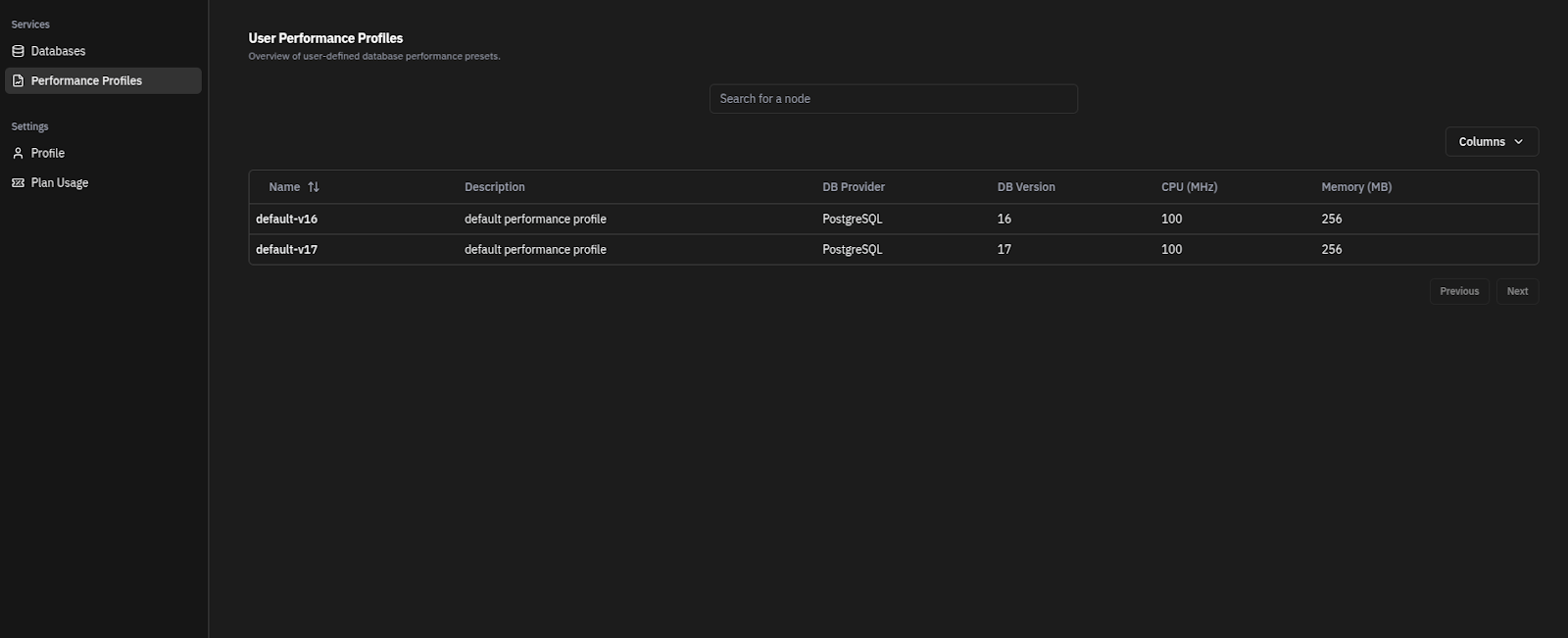
Users can now choose a specific compute performance profile when creating a new DATABASE. If no profile is selected, the deployment defaults to the default profile.
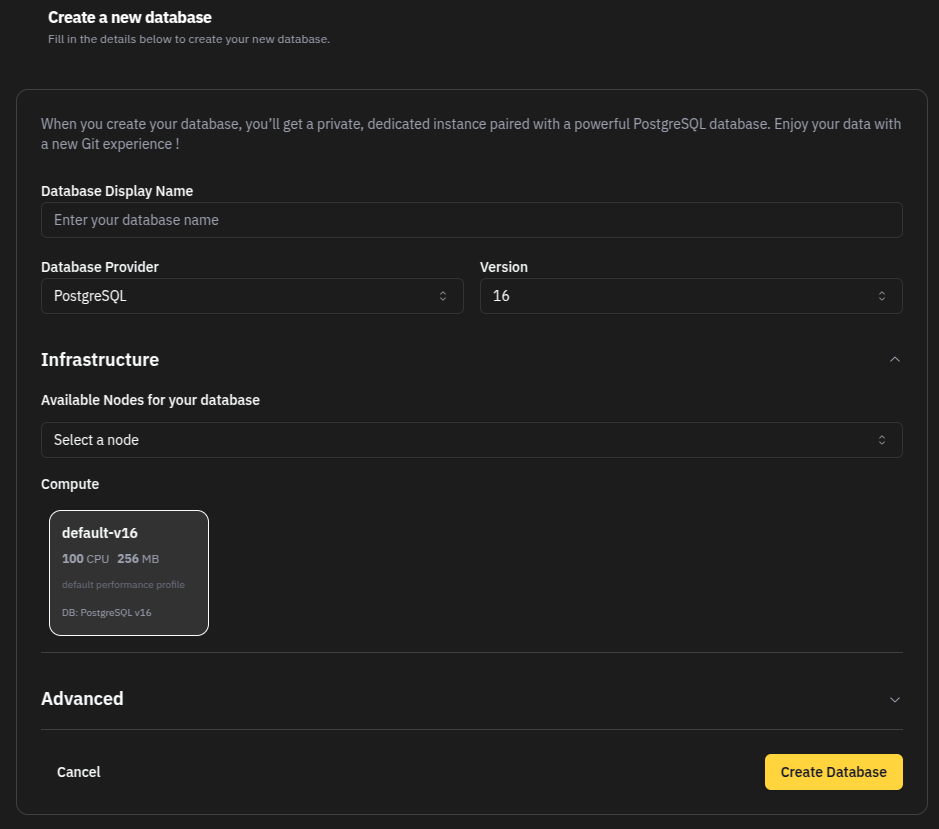
Users can now choose a specific compute performance profile when creating a new SHADOW. If no profile is selected, the deployment inherits the parent F2 compute’s performance profile.
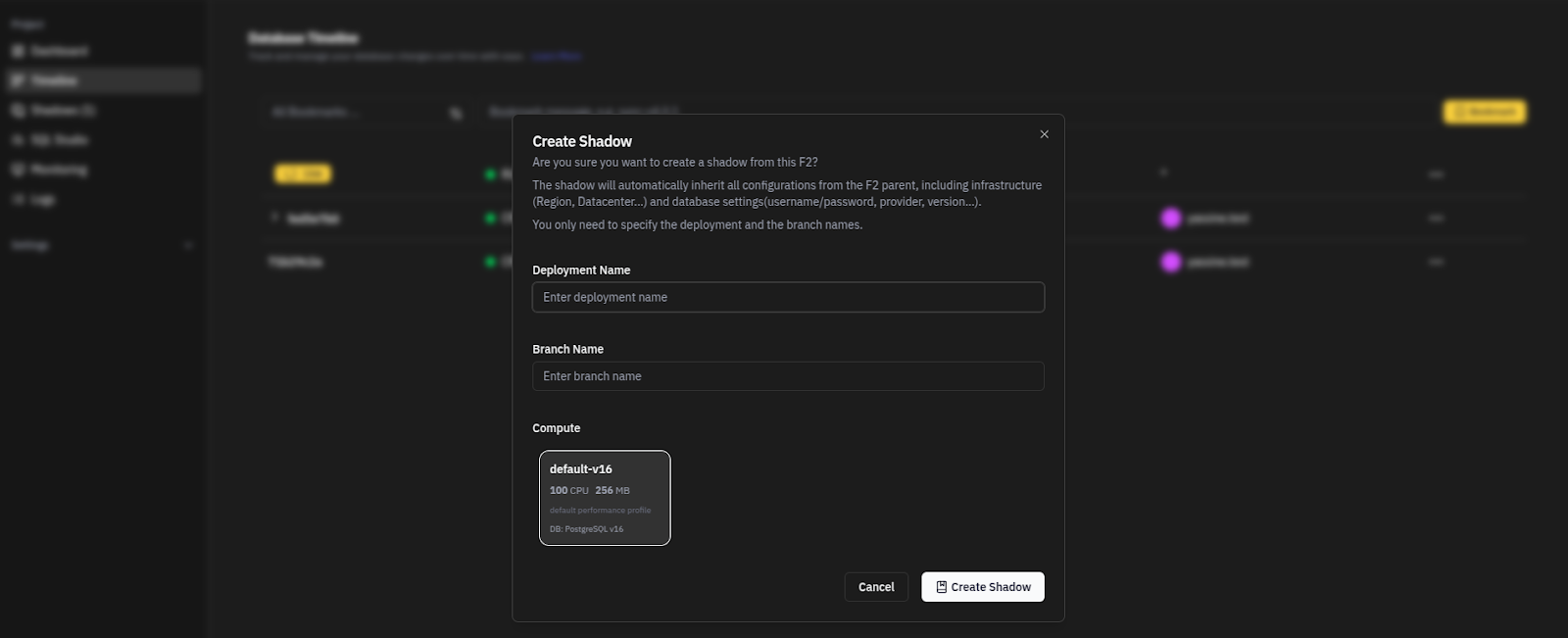
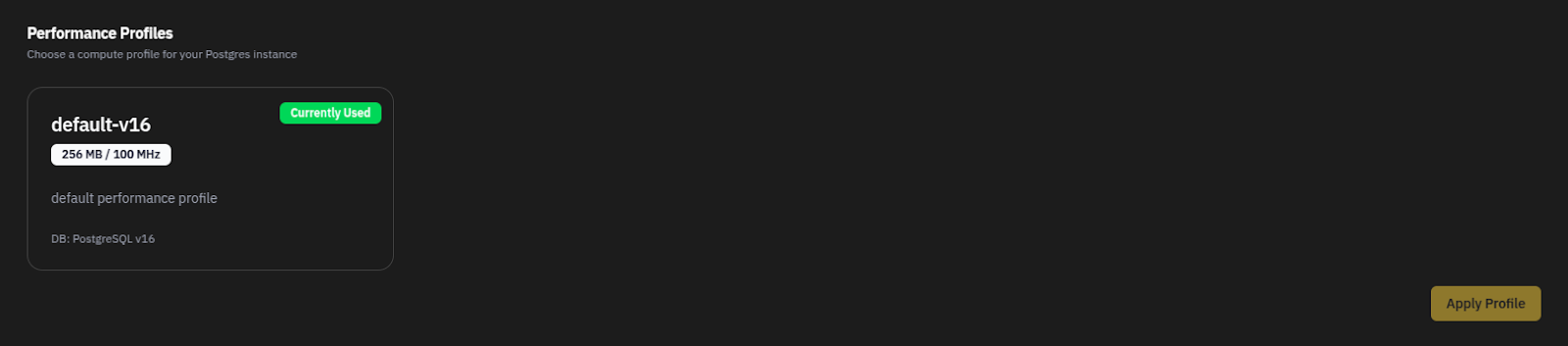
Users can now view and change the performance profile used by compute.
Applying a profile will restart the compute to activate the new settings.
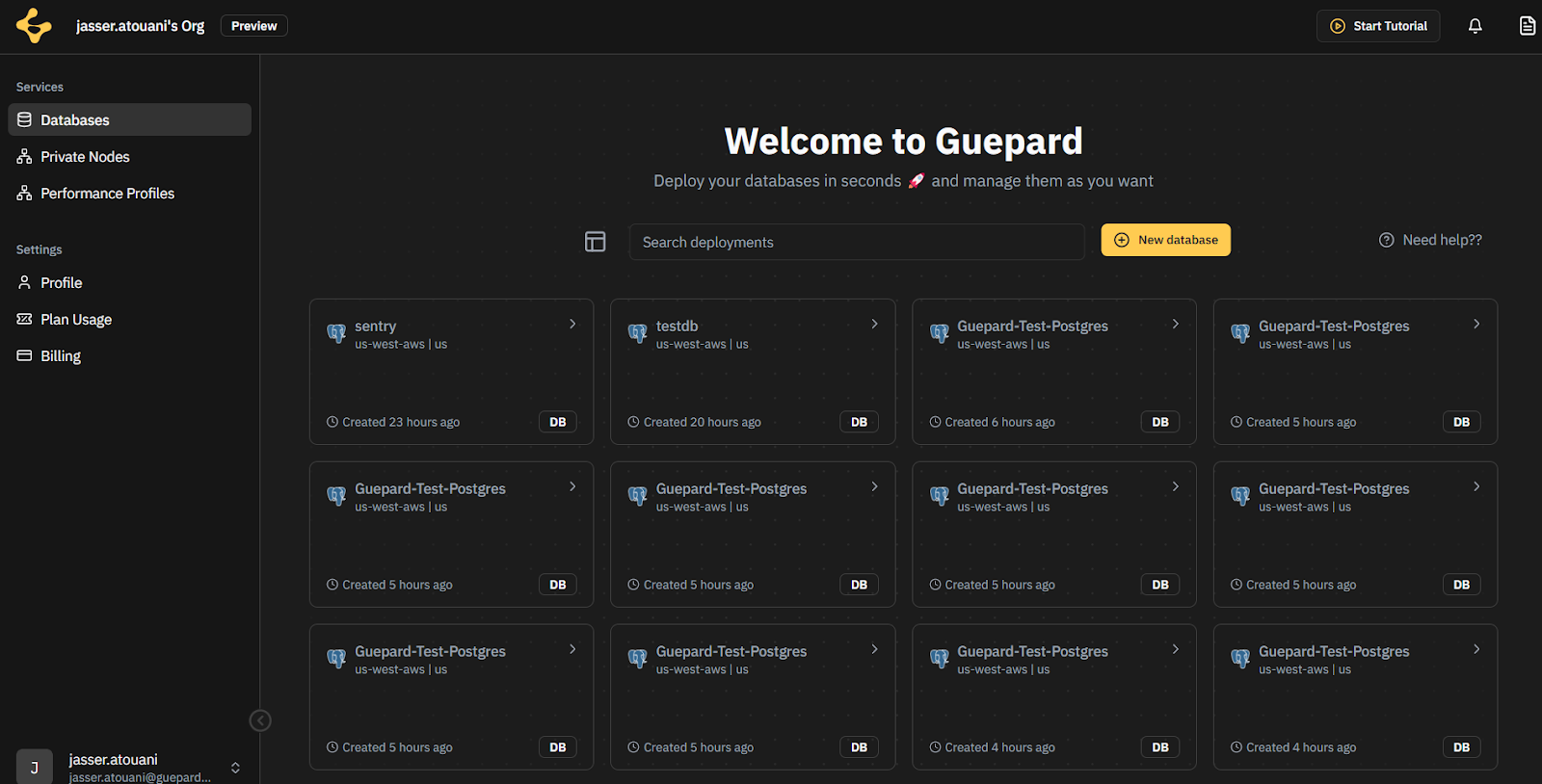
[#448] - Guepard Console - Align Repositories list design with The Nodes list design
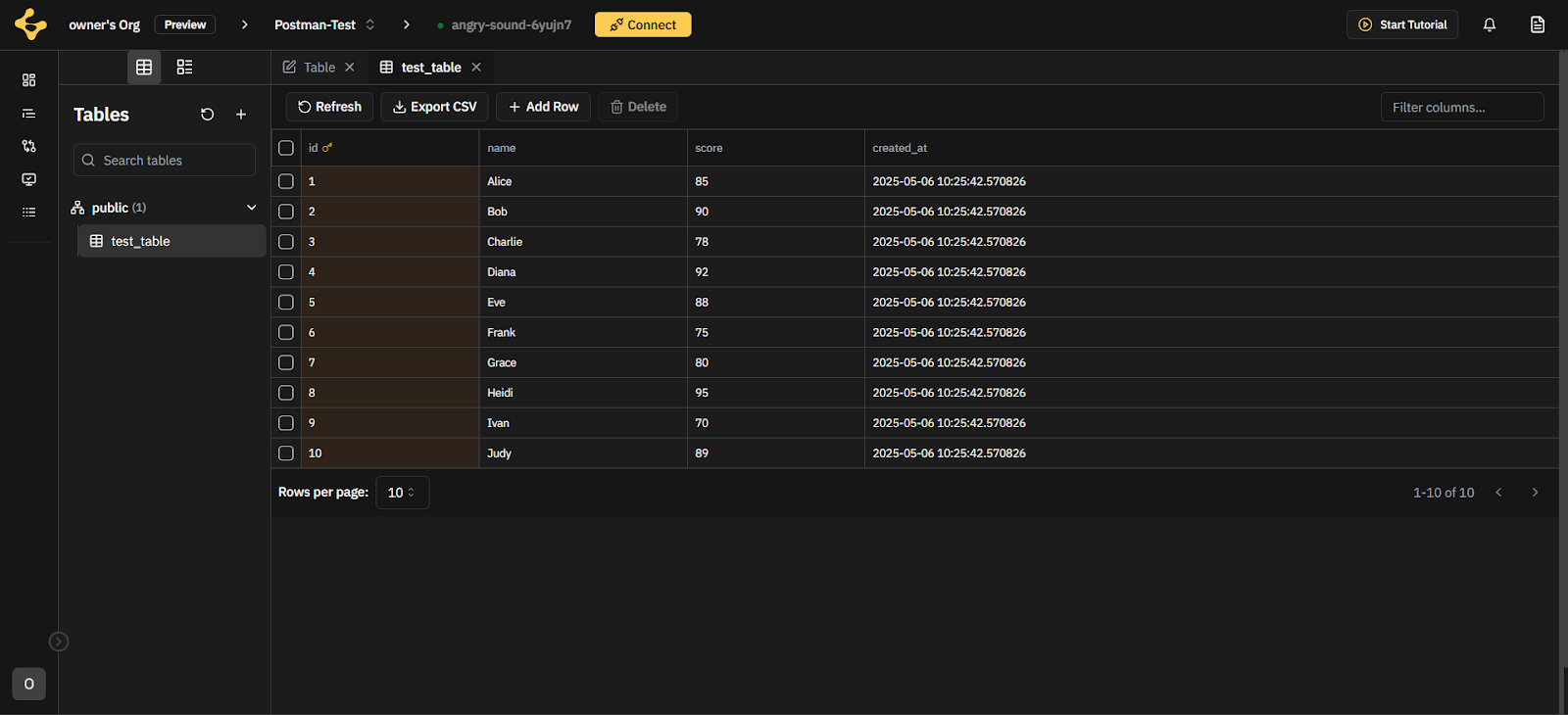
{#465 | #466 | #512, #513]Guepard Console - SQL Studio Feature:
We’ve introduced SQL Studio, a dedicated workspace that allow users to interact with the repository (database), using SQL, straight from Guepard console
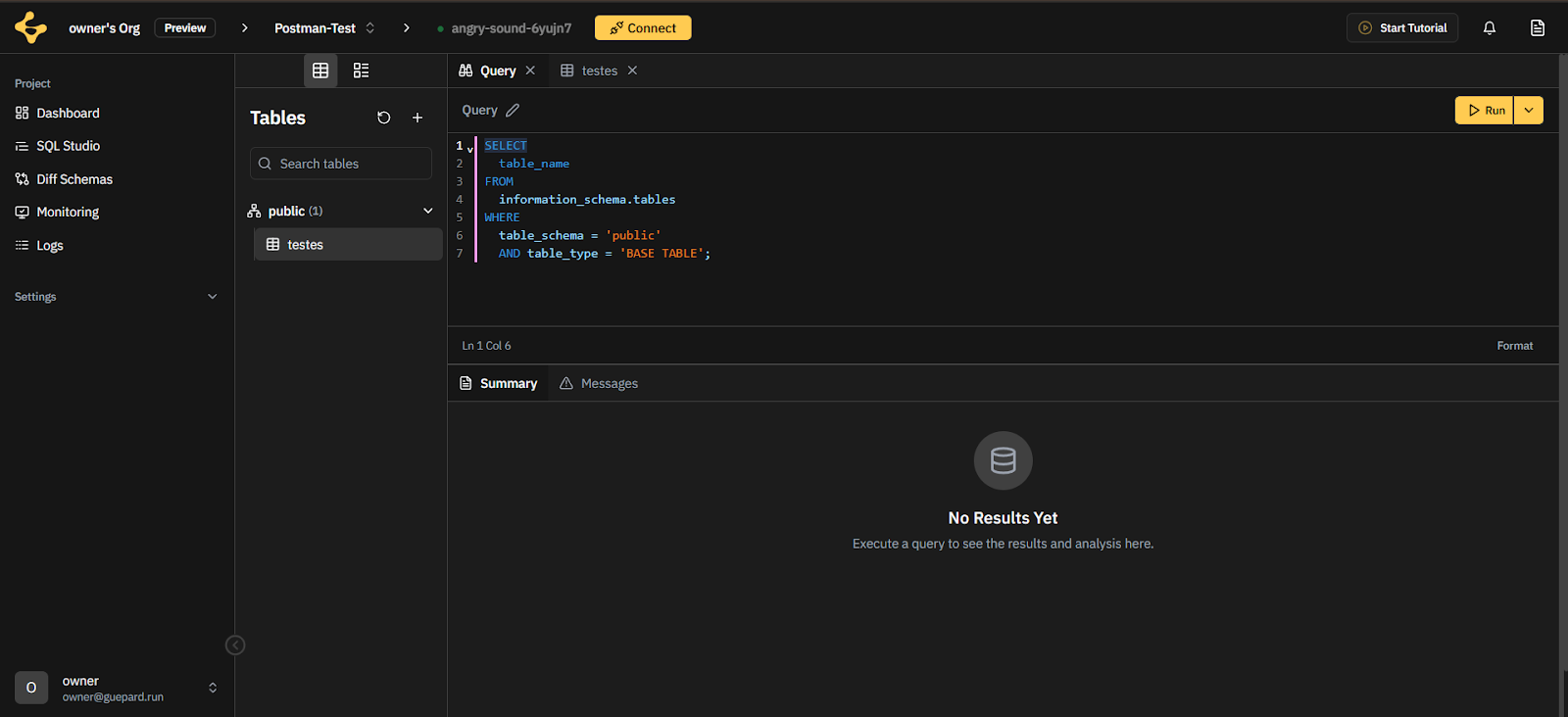
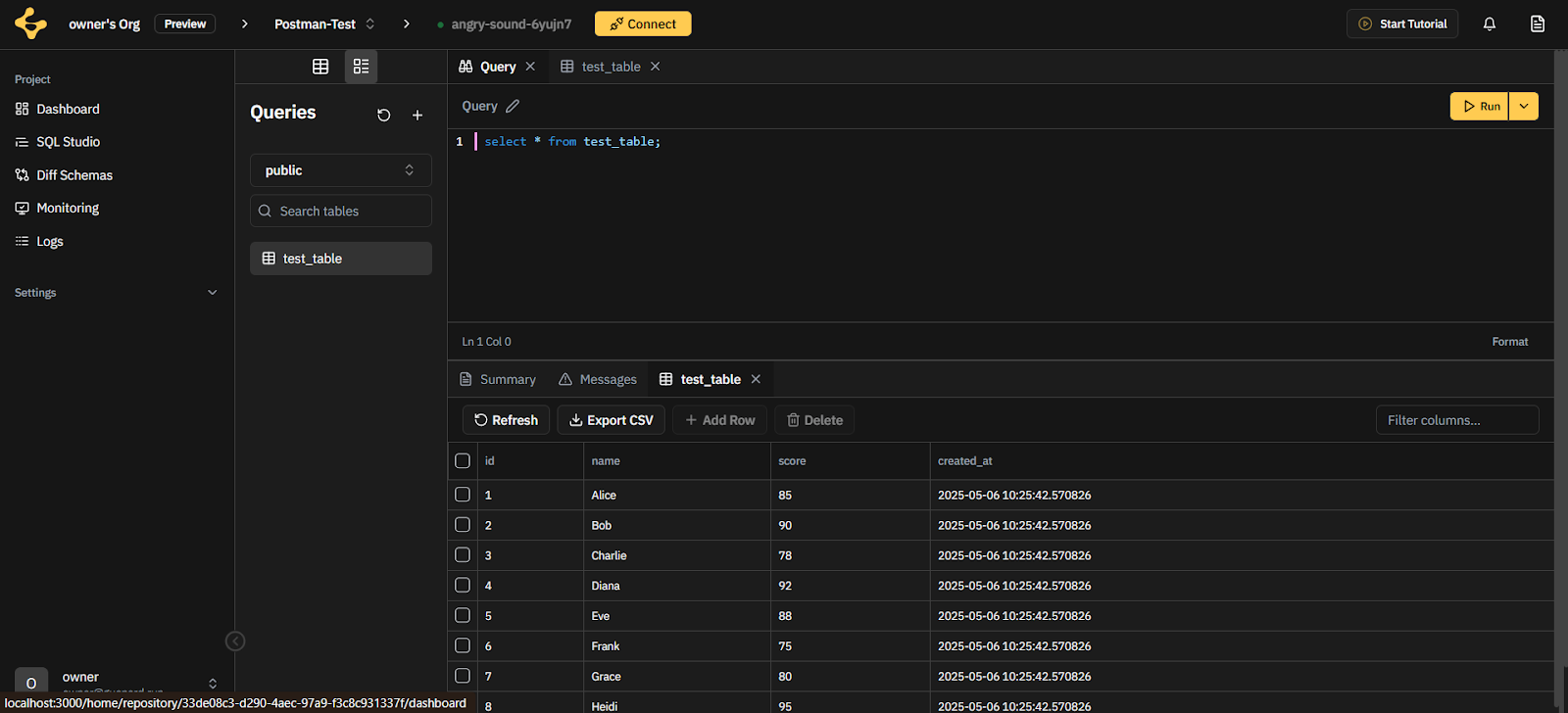
Users have access to two workspaces: the Table Editor and the Query Editor. In the Table Editor, users can view table contents within a specific schema and easily add new tables. In the Query Editor, they can run SQL queries and save them for future use.
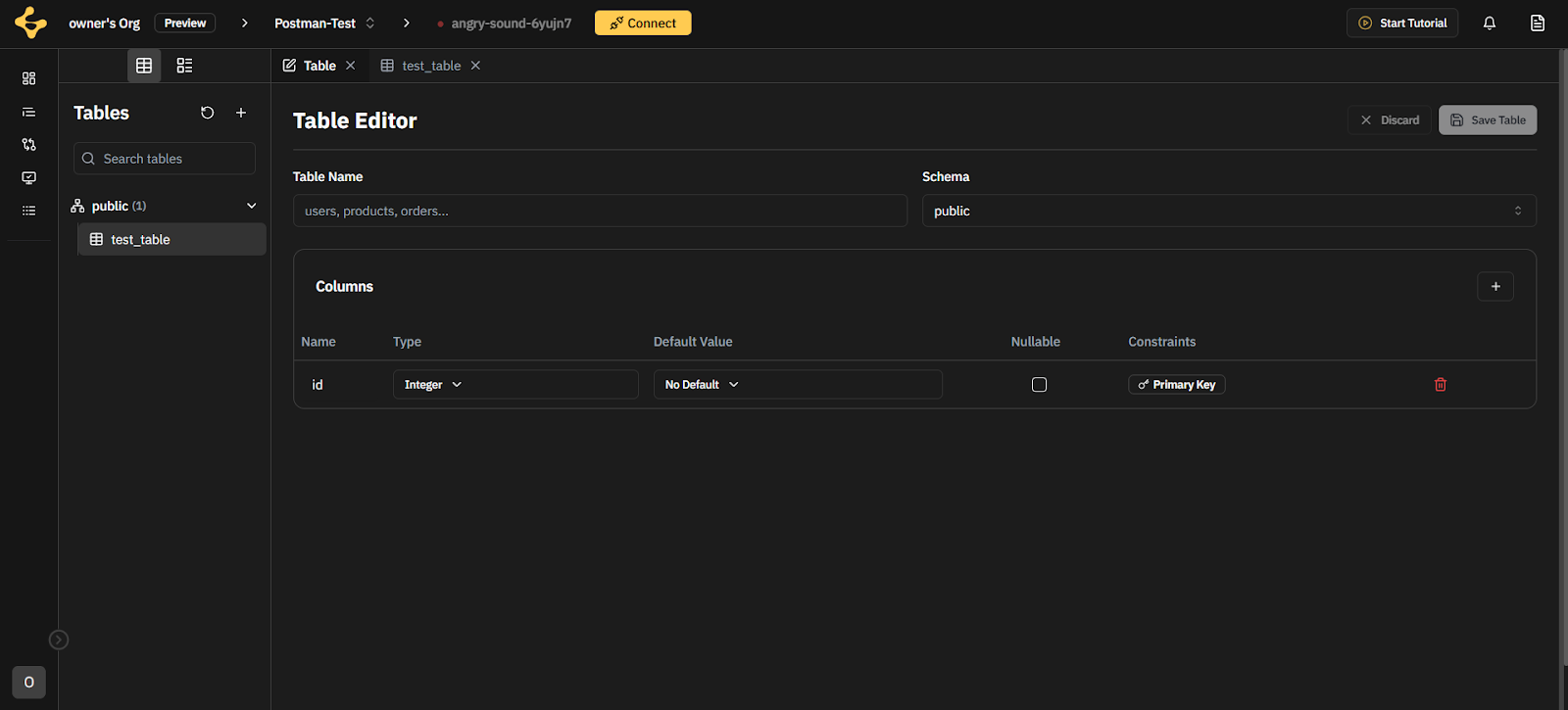
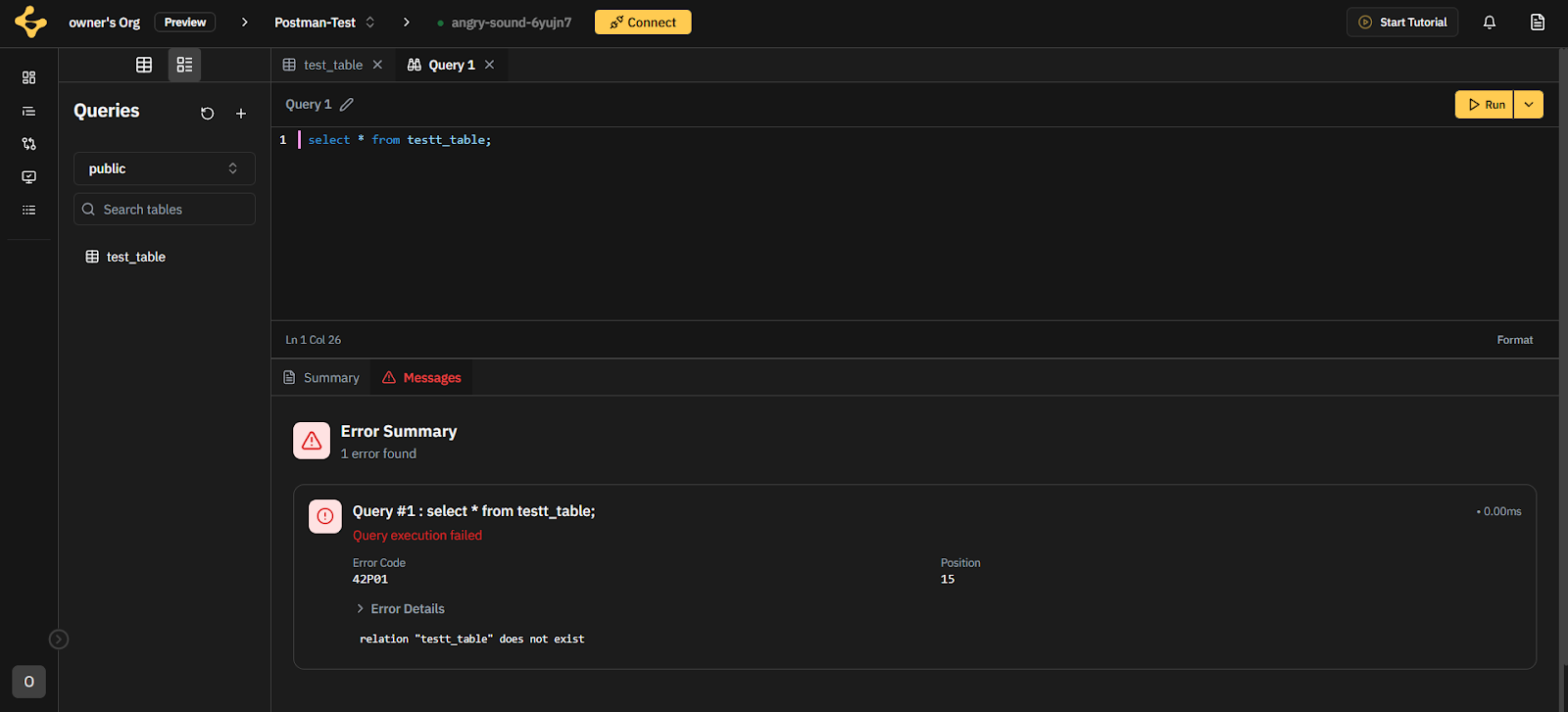
Users can run SQL queries and view the corresponding results (as well as execution errors)
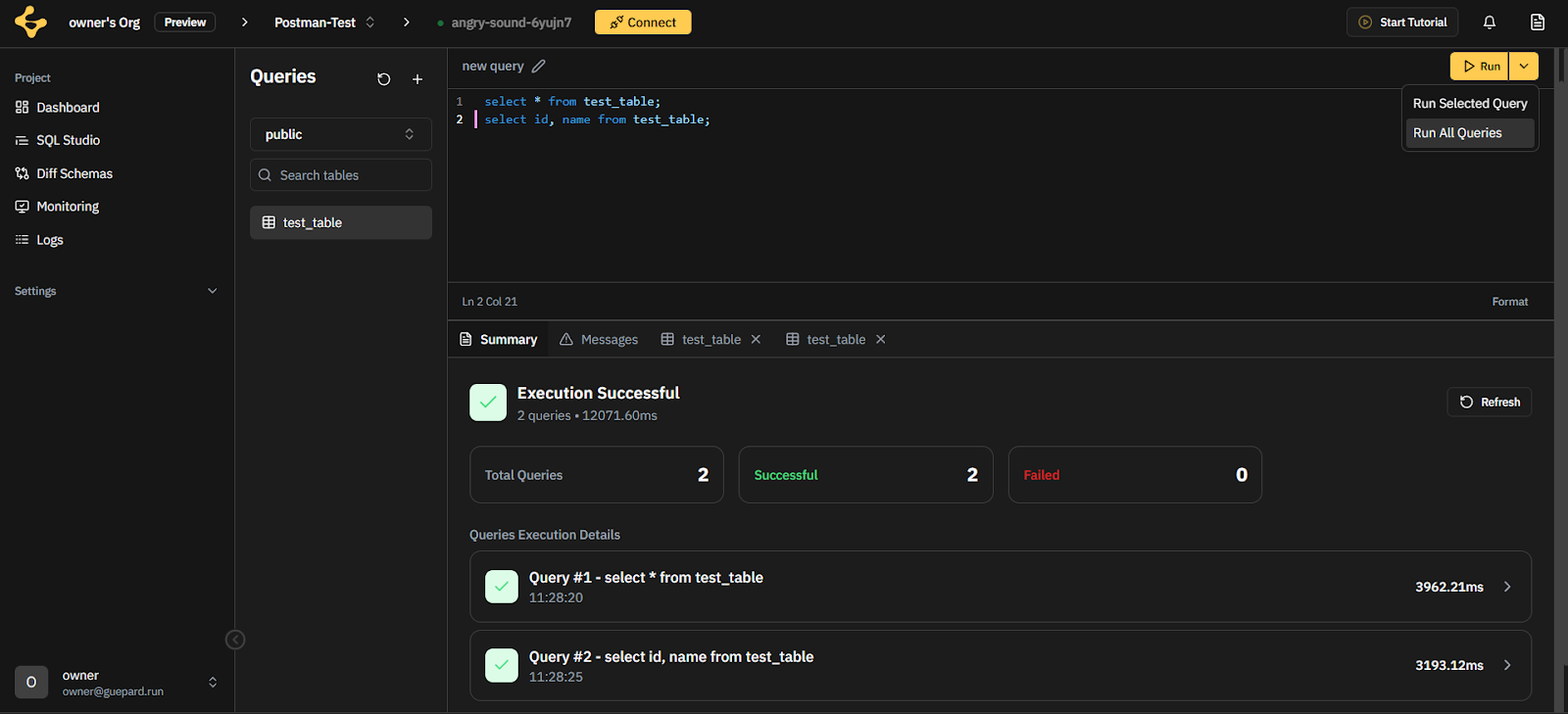
Users can also run multiple SQL queries (batch execution) and view the execution summary
[#27] GuepardCLI
Say hello to the Guepard CLI, your new command-line companion for managing deployments, tokens, and environments without leaving the terminal.
Designed for speed, security, and automation, the CLI brings powerful control to your local workflows — ideal for scripting, CI/CD, and advanced users.Session-Based PAT Generation:
Users can now use the link command to generate a session ID, fill a form with scopes and expiration, and receive a PAT. The token can be used in the CLI based on selected scopes.
[#527] Session Ownership Verification :
Added an endpoint (verify-session) to ensure that only the rightful owner can access and use a session. The token creation form is only accessible after verification.
[#538] Token Listing Endpoint :
Implemented an endpoint that allows users to list all their tokens. The form will show only after session verification, preventing unauthorized access.
[#134] Authentication Workflow Endpoints:
Now the jwt is stored on the user’s OS ( credential manager ) and the session id as well.
start-login: Returns a session link.
resume-login: Accepts scopes and expiration, returns a verification code.
end-login: Accepts the verification code and returns a JWT upon successful verification.
[#91] Token Management Endpoints :
Added endpoints for:Creating tokens based on scope, expiration, and name.
Revoking tokens on demand.
Improvements
[#491 | #504 | #144 ] - Guepard Console - Performance Profile
Enhanced performance profile interface with better icons and structure.
Current profile specs are now displayed in database dashboard, plan usage and compute configuration views.
Added a clean workflow for applying profiles, with restart confirmation.
Console filters profiles based on DB provider and version.
[#365] - Guepard Console - Graph :
Added action menu button in bookmarks rows includes all available time travel actions.
Added skeleton while loading data.
[#461] - Guepard Console - React Query Refactoring
Refactored react query logic to reduce unnecessary api calls.
[#17] - Guepard Doc - Performance Profile/Node:
Added documentation for Performance Profiles and Nodes to the Guepard Docs.
Bug Fixes
[ #121 ] Guepard Console - Delete Repository.
[#443] Guepard Console - Check usage.
[#430] Guepard Console - Light Mode.
[#452] Guepard Console - Docs URLs.
Known Issues
[ #455 ] Can’t use my branches after creation.
[ #456] Snapshot after branch creation is bugged.